


Vibra Live: Go Live
3.928.00 Reviews
App Specs
- Version
- 1.0.13
- Updated On
- License
- Free
- Downloads
- 500,000+
- Developer
- Vitality AI
- Categories
- Social
- Platform
- Android
Screenshots


 Analysis by AppCompare
I like social apps best when they make it easy to move from watching to taking part, without making every interaction feel like a performance. Vibra Live is built around that kind of real-time connection: its mix of live broadcasts, video chat and short clips gives you several ways to encounter people beyond your existing circle. My impression is that it is most appealing if you enjoy spontaneous social discovery, rather than a carefully curated feed you only scroll through in silence.
One useful way to decide whether that style suits you is to notice what you want from a social app on an ordinary day. If you are hoping to keep up with friends’ plans, a direct messaging tool is more efficient. If you want a little live company while taking a break, Vibra Live has a more natural reason to be open. Its main draw is moving between observing and joining in at your own pace, not replacing every social app on your phone.
Vibra Live is a free social app from Vitality AI, with optional in-app purchases. That makes it possible to try the core experience without paying upfront, but it is worth separating “free to install” from “everything is free”: purchases are offered at prices ranging from $0.99 to $14.99 per item. I would treat the app as a low-commitment experiment first, then decide whether any paid option actually improves the way you use it.
What the free entry point is worth
There is no purchase price to get started, so you can see whether live social interaction suits you before spending anything. That is useful for an app whose appeal depends heavily on your habits: someone who likes dropping into broadcasts may find value quickly, while someone who mainly wants private conversations with people they already know may not. The free starting point lowers the barrier to testing that difference.
The optional purchases are the part that calls for a little restraint. Individual items range from $0.99 to $14.99, but I would not assume that a purchase is necessary to enjoy the app or that it guarantees better conversations. Before buying, I would look closely at what the specific item offers in the app and whether it serves a purpose you have already encountered. If you are only curious, there is no reason to pay simply because a purchase option is visible.
That distinction matters because live social platforms can make spending feel connected to participation. I recommend setting your own limit before browsing any purchase screens, especially if you tend to make small impulse buys while chatting or watching. The app’s free access gives you room to judge the atmosphere first; spending makes sense only if you can name the practical benefit you expect from a particular item.
What the format adds beyond a feed
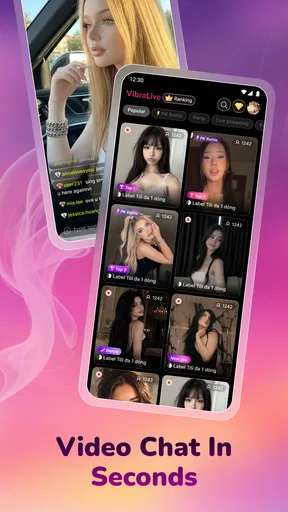
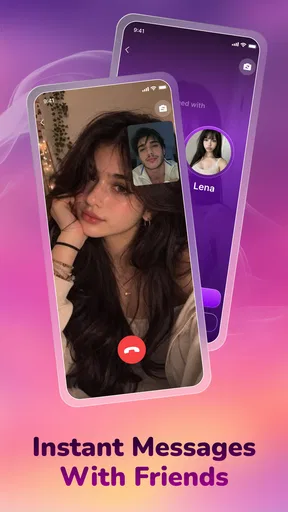
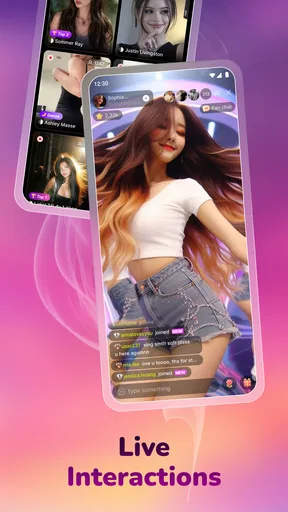
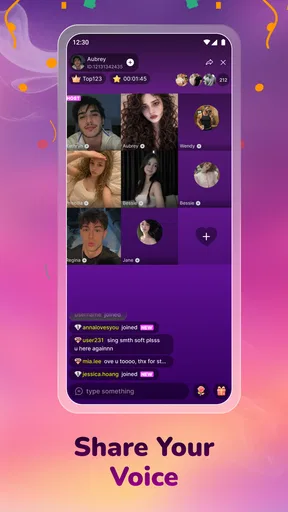
The combination of broadcasts, video chat and short videos gives Vibra Live a different rhythm from a standard social network. Short clips are suited to quick browsing: you can sample a creator’s style without committing to a long session. Live streams ask for more attention, but they can feel more immediate because the content is unfolding in the moment. Video chat is the more direct option when you want an actual exchange rather than an audience experience.
Worth Reading Before You Choose

EA SPORTS FC Mobile 26 Is a Bigger Football Game, but It Takes Time

Flipboard Shows What News Apps Must Do Beyond the Feed

Switching to Android Auto Means Rethinking Your Driving Routine

Google Calendar Makes a Crowded Week Easier to Manage

Ludo King Makes the Most of the Minutes Between Plans

Baby Panda World Brings Quick Play to Modern Phones, but Its Game Library Feels Busy
That range is a genuine strength, but it also means the app is not a single-purpose tool. You may open it to watch something brief and end up considering a live room or conversation. For me, the useful way to approach it is to choose a mode deliberately: clips for a short break, streams when I have time to stay, and video chat only when I am comfortable with a more personal interaction. That small distinction helps keep casual browsing from turning into a longer session than intended.
One practical tip is to treat the short-video side as a preview, not a promise that every creator will be equally interesting live. A clip can be edited and self-contained; a broadcast depends on timing, audience energy and how much the host is interacting. If a clip catches your attention, joining a live session can be a better test of whether you enjoy the person’s style than immediately starting a one-to-one conversation.
That gradual route is also a sensible way to manage first impressions. I would browse clips with a question in mind—whether I like the creator’s subject or presentation—then see if a live broadcast adds anything. If it does not, there is no need to push into a more personal interaction. This gives you a small, practical filter for deciding where your attention goes, instead of treating every available format as something you should try.
Where the tradeoffs show up
Live interaction is less predictable than browsing a polished feed. A stream may be lively one moment and slow the next, and video chat requires more attention and confidence than simply watching. That spontaneity is the point for some people, but it is also the main reason I would not recommend this as a replacement for messaging friends or a dependable way to arrange a specific conversation.
Another tradeoff is that the app’s broad mix can make it harder to know what kind of session you are opening into. A user who wants a quiet, private space may find the live-first energy too exposed, while someone seeking a structured community around a particular hobby may prefer a dedicated group platform. I would also be thoughtful about what I share in any social app, particularly in live or video settings: real-time conversation can feel informal, but it is still interaction with people you may not know.
For a first session, I would keep personal details out of conversation until I have a clear reason to trust the person I am talking with. That is not a judgment about any particular user; it is a sensible boundary for a service built around meeting people in real time. If I want company but not a personal exchange, watching a broadcast lets me stay involved without sharing more than I intend.
The audience scale suggests that there is a substantial user base to explore: Vibra Live has over 500,000 installs. That can help with the basic appeal of a social app, since discovery is less interesting when there is nobody to encounter. Still, installs do not tell you whether the people you want to meet are active at the time you open the app. I would judge its usefulness by the actual quality of the conversations and broadcasts you find, rather than by scale alone.
The app currently has a 3.9 average from around 1,800 ratings. I see that as a reason to approach it with realistic expectations, not as a verdict on whether it will suit you personally. Social apps are unusually dependent on timing, community and individual taste. A good experience for someone who enjoys meeting strangers live may be a poor fit for someone who wants a calm, predictable feed.
A realistic way to use it
Imagine you have a free half-hour after work and want a little company without arranging plans. You could browse a few clips first, then enter a live broadcast that seems appealing and see whether the host’s style holds your attention. If you are in the mood to participate, you can consider video chat; if not, watching is still a valid way to use the app. This sequence lets you test the social atmosphere gradually instead of jumping straight into a more personal interaction.
A second useful approach is to set a clear stopping point before opening it. Live content can encourage “just one more” viewing because each session is happening now. Deciding in advance to watch a couple of clips or spend a short break browsing makes the experience easier to fit around daily life. I would also avoid treating a quiet session as proof that the app has nothing to offer; activity can vary, and a different time may produce a different mix of people.
If you are deciding whether to spend money, use that first period to notice what is actually missing from your free experience. If you cannot identify a specific limitation or a concrete benefit you want, keep using the free access. If an item clearly supports something you already enjoy, compare its cost with how often you expect to use it. That is a more reliable standard than buying in the hope that payment will make social discovery feel more rewarding.
For someone using the app during a busy day, I would separate “watching for a minute” from “making time to talk.” A few clips can fit between tasks, while a live broadcast or video chat is better saved for a moment when you can pay attention. This small choice helps prevent the more interactive parts from becoming an unwanted interruption, and it makes the app easier to assess fairly: you are judging each format in the kind of moment it suits.
Who is likely to get the most from it?
I would point Vibra Live toward people who enjoy meeting unfamiliar users, watching creators in real time and switching between passive viewing and direct conversation. It can also suit someone who wants a lightweight way to fill a short break with social content, provided they are comfortable with the unpredictable nature of live interaction. Its Teen content rating makes it a teen-rated app, but that should not replace a family’s own judgment about online conversations, privacy and spending.
It may be particularly worthwhile for a curious viewer who is not ready to appear on camera. Watching first offers a lower-pressure way to see whether the live atmosphere feels welcoming, and clips can help narrow down what is worth sampling. I would see that as a valid way to use the app rather than a halfway step that has to lead to video chat. Participation should be a choice, not a test of whether you are using the service properly.
I would skip it if your priority is a private, dependable channel for close friends, a highly organized interest group, or a feed where you can control the pace and avoid live interaction. A conventional messaging app is a better fit for planned conversations with people you know. A topic-focused community may be more useful if you want to find sustained discussion around one subject. Vibra Live’s advantage is variety and immediacy, not necessarily depth or structure.
Compared with the usual alternatives, it sits between short-form video apps and one-to-one communication tools. A video-first feed is often better when you want to browse without being drawn into a conversation, while messaging is better when you already know whom you want to reach. Vibra Live is the more interesting choice when discovery itself is the point and you are willing to accept that a session may be uneven. That distinction matters more than simply choosing the app with the most formats.
It is also worth keeping your expectations modest if you dislike being on camera or feel pressured by social performance. You can use a live platform as a viewer, but the presence of video chat may make the overall environment feel more interactive than a purely passive network. I would only move into direct conversation when I genuinely wanted to, rather than because the app’s format made participation seem like the expected next step.
Compatibility and the final call
The current release is version 1.0.13, and the stated minimum operating-system requirement is version 7.0. The app has been available since July 6, 2026. Those details are useful when checking whether it can run on your device, while the more important decision is still whether you want live social discovery in your routine.
My verdict is to try Vibra Live if you are curious about broadcasts and video-based conversations, but keep your spending optional and your boundaries clear. The free entry point is its strongest value proposition: it lets you test the format before deciding whether the app deserves a place in your day. I would not choose it as my main communication tool or expect every session to be compelling. But if the idea of sampling short clips, joining a live moment and occasionally chatting with someone new sounds enjoyable, it is a reasonable app to explore without paying upfront.
In practical terms, I would install it for curiosity rather than make it my default social space from day one. Give the clips and broadcasts a fair try, notice whether you actually enjoy the live pace, and leave purchases alone until you can point to a specific benefit you want. If the experience feels too unpredictable or too exposed, switching back to a familiar feed or messaging app is a sensible choice—not a failure to get the point of Vibra Live.
Pros
- Simple setup makes it easy to start a live broadcast.
- Live chat lets broadcasters interact with viewers in real time.
- A range of creator tools supports different streaming styles.
- The social format can help users discover new live content.
- Useful for creators who want to build an audience through live video.
Cons
- Streaming quality depends heavily on a stable internet connection.
- Live video can use substantial mobile data.
- Public broadcasts may expose personal details if users are not careful.
- Viewer numbers and engagement can be unpredictable for new creators.
- Moderation is important
- as live chats can include unwanted messages.
FAQs for Vibra Live: Go Live
What is Vibra Live: Go Live?
Vibra Live: Go Live is a social live-streaming app designed for users who want to broadcast in real time and connect with other people. Depending on the features available in your region and app version, you may be able to watch live streams, chat with hosts, and take part in interactive sessions. Check the app listing and its current permissions to confirm which features are offered before installing.
Is Vibra Live: Go Live free to download and use?
The app may be free to download, but that does not necessarily mean every feature is free. Live-streaming services commonly offer optional in-app purchases, virtual gifts, subscriptions, or other paid items, and pricing can vary by country. Review the store page for current purchase details, and check the payment settings on your device before buying anything. Avoid assuming that paid features are required unless the app clearly says so.
Do I need an account to watch or broadcast live?
Account requirements can differ between watching streams and going live, and they may change with app updates or regional rules. You might be able to browse some content without signing in, while chatting, following creators, or broadcasting may require an account. If registration is requested, read the sign-up prompts and privacy information carefully, and use a strong password rather than reusing one from another service.
Is Vibra Live: Go Live safe for younger users?
Live-streaming apps can expose users to real-time conversations and content created by other people, so the experience may not be suitable for every age group. Before a younger person uses Vibra Live: Go Live, review the age rating, community guidelines, and available blocking or reporting tools. Parents should also discuss sharing personal information, interacting with strangers, and spending limits for any in-app purchases.
What should I check before installing Vibra Live: Go Live?
Before downloading, confirm that the app is available for your device and operating system, and check the store listing for its latest version, developer details, and permissions. A stable internet connection is important for watching or broadcasting live, and video use may consume substantial mobile data. Also review recent user feedback, privacy disclosures, and any subscription or purchase terms so you know what to expect.


